

Web
Oshi Lab
A browser-based theme editor for MyOshi profiles. Lets you write Custom CSS and HTML against a realistic demo profile, preview it safely, and export only your own code.
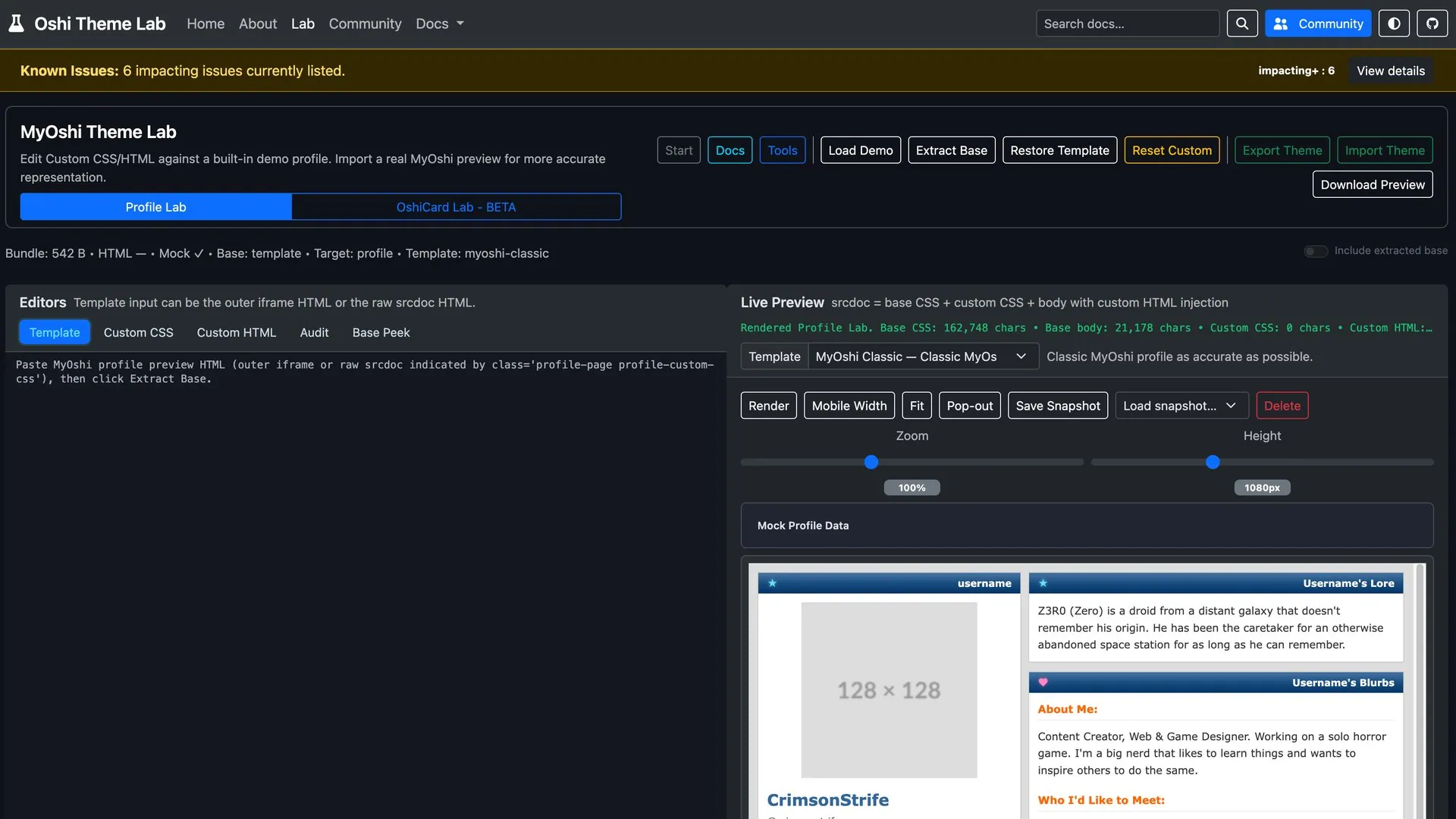
MyOshi lets people theme their profile with custom CSS and HTML. However,(at time of writing) there’s no good way to work on a theme, you edit live against your own profile, it doesn’t save your progress unless you submit it, and some of their own preview-ing is inaccurate to the live view. Oshi Lab is the workshop that was missing: a sandbox for authoring a theme against a realistic demo profile, then exporting something clean enough to paste back.
The interesting problems
Previewing untrusted code safely. The whole point is running CSS and HTML
you’re actively writing, so the preview is a sandboxed iframe with scripts
blocked. You get an embedded view or a pop-out window, plus zoom and
mobile-width controls for checking a theme at other sizes.
This also represents most of what MyOshi has disabled in their custom themes,
so if something doesn’t work here, it likely won’t work on the live site either.
Exporting only what’s yours. A MyOshi profile is your custom code layered on top of a large base stylesheet. Oshi Lab extracts the base from a real profile preview, keeps it separate, and makes sure an export contains only the CSS and HTML you actually wrote — not the several hundred kilobytes underneath it.
Working from the real thing. Built-in templates approximate MyOshi’s structure closely enough to design against, but you can paste in a real profile preview and have the tool pull the base out of it, so what you see matches what you’ll ship.
Snapshots save to browser storage so work survives a refresh, and the docs are statically indexed with Pagefind so search works without a backend.
Built with
Astro with MDX for the documentation, Bootstrap 5, Font Awesome, and Sharp. MIT licensed, currently at v0.9.0, live at oshi-lab.app.